


Time Warp Scan - Face Scanner
4.693.00 Reviews
App Specs
- Version
- 4.8.6
- Updated On
- License
- Free
- Downloads
- 1,000,000+
- Developer
- Technoline Apps
- Categories
- Photography
- Platform
- Android
Screenshots
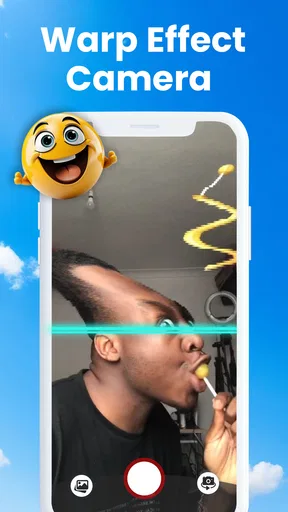
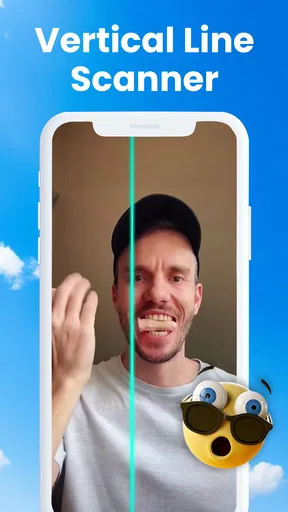
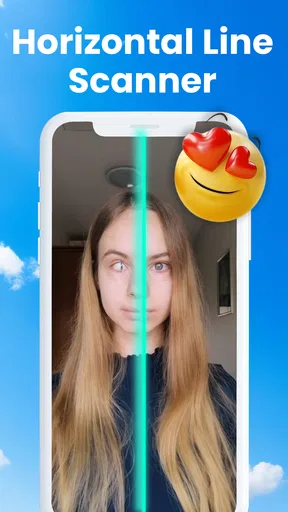
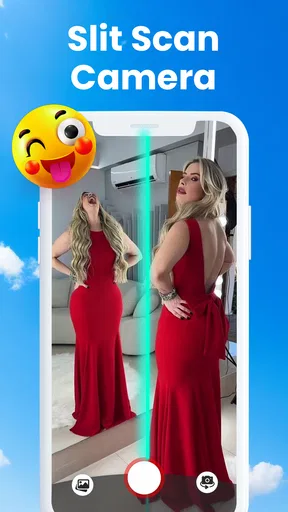
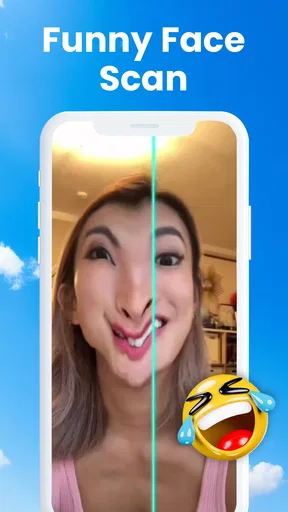
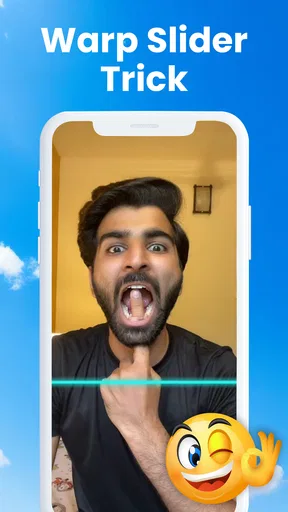
 Analysis by AppCompare
Have you ever wanted to create some mind-bending, hilarious photos with just a swipe? Well, folks, let me introduce you to the Time Warp Scan - Face Scanner app. This little gem is all about having fun with your camera, and trust me, it’s a wild ride!
What to Expect from a Time-Warp Camera
I’d approach this as a playful camera effect, not as a general photography editor. The fun is in the scan itself: a moving line captures different parts of the scene at different moments, so a small movement can turn into a dramatic bend or stretch. That makes the result feel more like a visual joke than a polished portrait, which is exactly why it can work so well for a quick laugh.
It is a better fit for people who enjoy trying an idea, seeing what happens, and retaking the shot than for anyone looking for dependable retouching or careful image correction. I would use it for a silly selfie, a pet’s curious head turn, or a playful clip to share with friends. If your goal is a natural-looking photo, a regular camera app will be the more useful choice.
A First Try That Is Easy to Control
For a first attempt, keep the scene simple: face the camera, choose a scan direction, start the effect, and make one deliberate movement while the scan passes. A slow head turn or a raised eyebrow is easier to read than several movements at once. Once you see how the line affects the image, you can decide whether to move faster, change direction, or try a different pose.
That simple setup also helps answer a common first-time question: why did one side of my face look normal while the other stretched? The effect records the scene progressively rather than freezing every part at exactly the same instant. Movement during the scan is what creates the distortion, so it is not necessarily a mistake when the result looks uneven. If you want a stronger bend, move more; if you want a subtler result, hold still for longer.
Getting Started with the App
So, first things first, download the app from your favorite app store—whether you're on Android or iOS, you're covered. Once installed, the app walks you through a simple setup. It's as straightforward as it gets, and before you know it, you're in the main interface ready to warp your world.
The design is clean and intuitive. You’ve got your camera view, a big button to start the scan, and a few options to tweak your experience. What I love is that you don’t have to be a tech wizard to get started. Just point, swipe, and let the magic happen!
Worth Reading Before You Choose

EA SPORTS FC Mobile 26 Is a Bigger Football Game, but It Takes Time

Flipboard Shows What News Apps Must Do Beyond the Feed

Switching to Android Auto Means Rethinking Your Driving Routine

Google Calendar Makes a Crowded Week Easier to Manage

Ludo King Makes the Most of the Minutes Between Plans

Baby Panda World Brings Quick Play to Modern Phones, but Its Game Library Feels Busy
Features That Stand Out
Now, let’s dive into what makes Time Warp Scan - Face Scanner so fun. The core feature here is the time warp effect—basically, it’s a digital curtain that moves across your screen from top to bottom or left to right, freezing whatever it touches in its path. This opens up endless possibilities for creativity.
Want to make your face look stretched like a piece of taffy? Or maybe you fancy turning your head into a Picasso-esque masterpiece? This app makes it happen. You can even get your pets involved, which, let me tell you, is a blast!
Choosing a Direction and Making the Scan Work
The direction changes the kind of movement that reads clearly. A vertical pass can make a gradual head turn look like a sideways stretch, while a horizontal pass can emphasize a change from top to bottom. I find it useful to try the same small gesture in each direction rather than changing the pose and scan at once; that makes it easier to tell which choice produced the funnier result.
For a more controlled result, place the phone on a stable surface or ask someone to hold it steady, then move only the subject. If the phone shifts during the scan, the background can warp too, and the effect may look messy rather than intentional. A plain background helps the distortion stand out, while busy patterns can compete with a face or pet for attention.
Pets are entertaining subjects, but they are also unpredictable. I would keep the setup relaxed and take advantage of a natural pause rather than trying to make an animal hold a pose. The app’s novelty comes from movement, so even a brief glance or ear flick can be enough; there is no need to keep an animal still or repeat the shot until it becomes uncomfortable.
Playing Around with Options
The app provides a couple of different modes to play with. You can switch the direction of the scan, adjust the speed, and even try out some filters to spice things up. The filters aren’t overwhelming, just a nice touch to add a bit more flair to your creations.
There’s also a handy share button to show off your masterpieces with friends directly through social media. I mean, what's the point of creating a hilariously distorted face if not to get a few laughs from your buddies, right?
From a Quick Joke to a Shareable Clip
A useful workflow is to make a few short attempts with one change at a time: first the scan direction, then the speed, then a filter. That keeps the experiment light and makes it easier to recreate a look you like. If you adjust everything at once, it can be harder to tell whether the pose, timing, or filter made the image work.
For an everyday example, imagine a friend taking a quick break between errands. You could set the phone steady, ask them to slowly turn their head as the scan moves, and then try a second take with a different direction. The result is a small, low-pressure joke to send to a group chat. It is not a substitute for a carefully edited video, but it is a quick way to make an ordinary moment feel less routine.
Sharing is most useful when you treat the result as a casual gag rather than a finished photo project. Before sending anything, check that the person in the shot is happy to be included, especially if the distortion is unflattering. The effect is meant to exaggerate features, and a funny image for one friend may not be something another person wants shared more widely.
What It Does Better Than a Standard Camera
Compared with a standard camera app, this one is built around a single visual trick instead of giving you broad control over exposure, focus, or composition. That focus makes it quicker to reach a silly result, but it also means I would switch back to the regular camera for family photos, travel shots, or anything I want to keep looking natural. A full photo editor is better when I need precise adjustments; this app is better when the distortion itself is the point.
It also differs from general social video tools, which usually offer a wider mix of recording and editing choices. Here, I would start with the scan effect and let the movement shape the result rather than planning a complicated sequence. That is a useful trade-off for first-time users: fewer creative decisions to make, but less flexibility if you want a more elaborate edit.
User Experience
Using Time Warp Scan - Face Scanner is a total breeze. The app doesn’t bombard you with ads, which is a huge plus in my book. It’s smooth, responsive, and rarely glitches—something I appreciate when I’m mid-scan and trying not to laugh at my own reflection.
I’ve spent hours just experimenting with different angles and speeds, and honestly, it never gets old. It’s the kind of app you can pull out at parties or when you need a quick smile during a rough day.
Who Will Enjoy It—and Who Might Prefer Something Else
Technoline Apps made this photography app for a light, effect-first kind of use. Its free download makes it easy to try, and it is rated for Everyone. The app has a 4.5 average from around 10,000 ratings and more than a million installs, which suggests that this simple kind of camera play has found an audience. I would recommend it to someone who likes spontaneous visual jokes and does not mind taking a few attempts to get a satisfying result.
I would skip it if I needed consistent portraits, dependable image correction, or a full editing suite. The scan effect depends on movement and timing, so results can vary from take to take. That unpredictability is part of the appeal, but it is also the main limitation: people expecting every shot to look clean and controlled may find the app less useful than a regular camera or dedicated editor.
The app is free to start, with in-app purchases listed from $4.99 to $49.99 per item. I would try the basic experience first and decide whether I actually need anything beyond it before spending money. It runs on Android 7.0 or later, and version 4.8.2 is the current version. Those details make it easier to check whether it suits your device, while the simple scan concept means there is little to learn before trying a first shot.
Is It Worth Your Time?
So, should you download Time Warp Scan - Face Scanner? If you’re looking for an app that’s all about fun, creativity, and a good laugh, then absolutely. It’s not going to transform your photography skills or replace your favorite photo editor, but it will add a delightful twist to your camera roll.
It’s a small app with a big impact—perfect for those moments when you just want to play around and not take life too seriously. The app has carved out a nice little niche for itself, and I think it’s going to keep people entertained for a long time to come.
In conclusion, if you’re ready to warp your world and have a good chuckle, give this app a go. Just remember, the only limit is your imagination—and maybe your pet's patience!
Pros
- Easy to use interface
- Fun filters for creativity
- No intrusive ads
- Quick sharing options
- Smooth performance
Cons
- Limited filter variety
- Occasional app crashes
- No customization options
- Requires internet access
- Lacks photo editing tools
FAQs for Time Warp Scan - Face Scanner
What is Time Warp Scan - Face Scanner?
Time Warp Scan - Face Scanner is a fun and creative app that allows users to experiment with unique photo and video effects. By using a horizontal or vertical time warp filter, users can create interesting and distorted images. It's popular for making creative and humorous content to share on social media.
Is Time Warp Scan - Face Scanner free to use?
Yes, Time Warp Scan - Face Scanner is free to download and use. However, it may offer in-app purchases or ads to enhance the user experience. Some features might be locked behind a paywall, so users should check the app store listing for specific details about pricing and premium features.
Can Time Warp Scan - Face Scanner be used offline?
Time Warp Scan - Face Scanner primarily requires an internet connection to download and update the app. However, once installed, users can use many of the app's features offline. For sharing content or accessing certain online features, an internet connection will be necessary.
Is Time Warp Scan - Face Scanner safe for children?
Time Warp Scan - Face Scanner is generally safe for all ages, but parental guidance is advised. The app involves taking photos and videos, so parents should ensure that children understand privacy settings and are cautious about sharing content online. Checking app permissions and settings is recommended.
What devices are compatible with Time Warp Scan - Face Scanner?
Time Warp Scan - Face Scanner is available for both Android and iOS devices. Users should ensure their device meets the minimum system requirements specified in the app store listing. Compatibility can vary based on the device's hardware capabilities and operating system version.


